
Podcasts and interviews
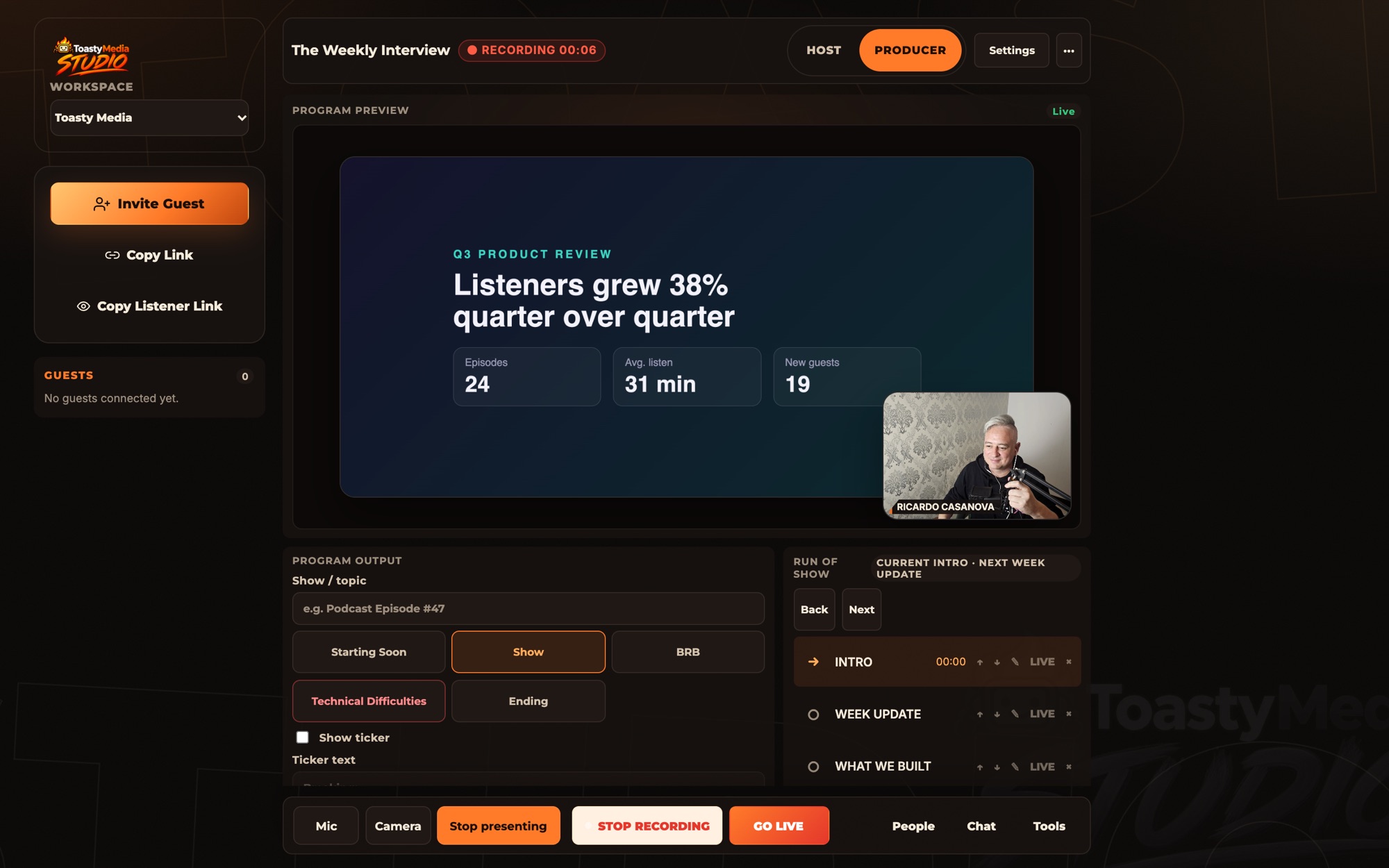
Bring a guest in by link, direct the conversation and leave with one finished recording instead of a folder of camera files.
Toasty Studio · Beta
Toasty Studio brings your guests, your plan, your AI producer and your recording into one room in the browser. Invite a guest with a link, run the conversation from a single set of controls, and finish with a recording that is ready to download.
What you can make
Studio is built for people who make recorded and live conversations and want them to look and sound like a real production.
Bring a guest in by link, direct the conversation and leave with one finished recording instead of a folder of camera files.
Put people and content on screen, work from a run of show and broadcast the same program to your channels.
Your logo, colours, name plates and lower thirds appear in the program and in the file you download.
Run structured sessions with prepared questions, participant consent and a transcript of everything said.
Session Planner
Great sessions are prepared before anyone presses record. Session Planner guides you from the first idea to a finished plan, collects what your guests want you to know and brings all of it into the studio with you.
Moxie · In the beta
Every great show needs a great producer. Moxie listens to your session, follows the conversation and responds when you say her name. Say “Hey Moxie” and ask for what you need while you are recording.
Forgotten a name? Want the exact thing a guest said twenty minutes ago? About to mention someone you would like to know more about? Ask Moxie and keep talking. Her answers appear privately on your screen, and nothing reaches your guests or your audience until you approve it.
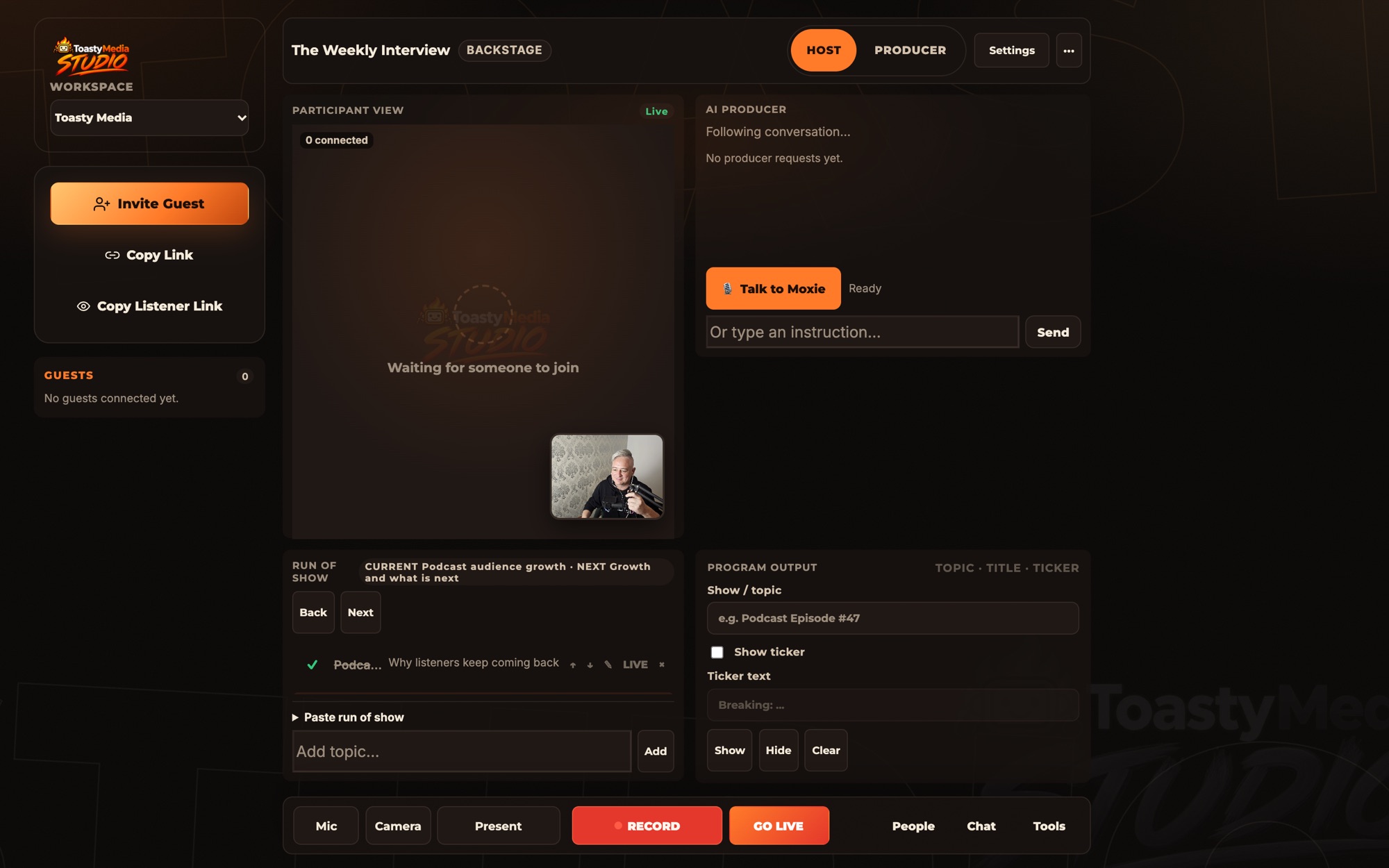
Say “Hey Moxie” whenever you need her. The rest of the conversation is left alone.
Moxie keeps up with what is being said, so “what did our guest say about the acquisition?” has an answer.
She reads your session plan and your guests’ preparation, so she knows who is joining and what they want to discuss.
Background on a person, company or topic, prepared as a card with its source.
Results stay with you. Say “yes, share that with everyone” or press a button, and Moxie posts it to the session chat with the source link.
Approve an article or image and it takes over the program. Say “take it off” and your layout returns.
Moxie follows your run of show and tells you when a segment is nearly out of time.
RTR · Read The Room Coming soon
The best moments in a conversation are easy to miss when you are busy running it. RTR is an intelligent production capability that watches the room alongside you, so a great exchange is marked while it is happening and easy to find when you are ready to clip it.
RTR is designed to notice the way a conversation feels, and to help the producer flag the moments worth keeping. Highlights, memorable exchanges and potential viral clips are identified as they unfold, which gives you the foundation for faster editing and sharper clips.
What RTR will pay attention to
The production
Planning, guests, recording and broadcast live together in Studio, with the controls where you left them.
Toasty Studio is in beta
Join the waitlist and be among the first to experience it. Tell us what you want to make and we will invite you as beta places open.
Already have an account? Sign in to Studio.